


To wake up in the morning knowing you can complete a wide variety of tasks without them stressing you out, switching from one task to the other or getting distracted every two minutes is quite a joy.
Often enough, professionals fall into the trap of juggling many balls at the same time, switching from one task to another. This is the path to unproductive behavior, stress and fatigue, whether at work or at home. Task batching has come to the rescue. It involves organizing a group of similar tasks and doing them all together in one focused period. This helps reduce interruptions, sustain focus and increase productivity.
What is task batching?
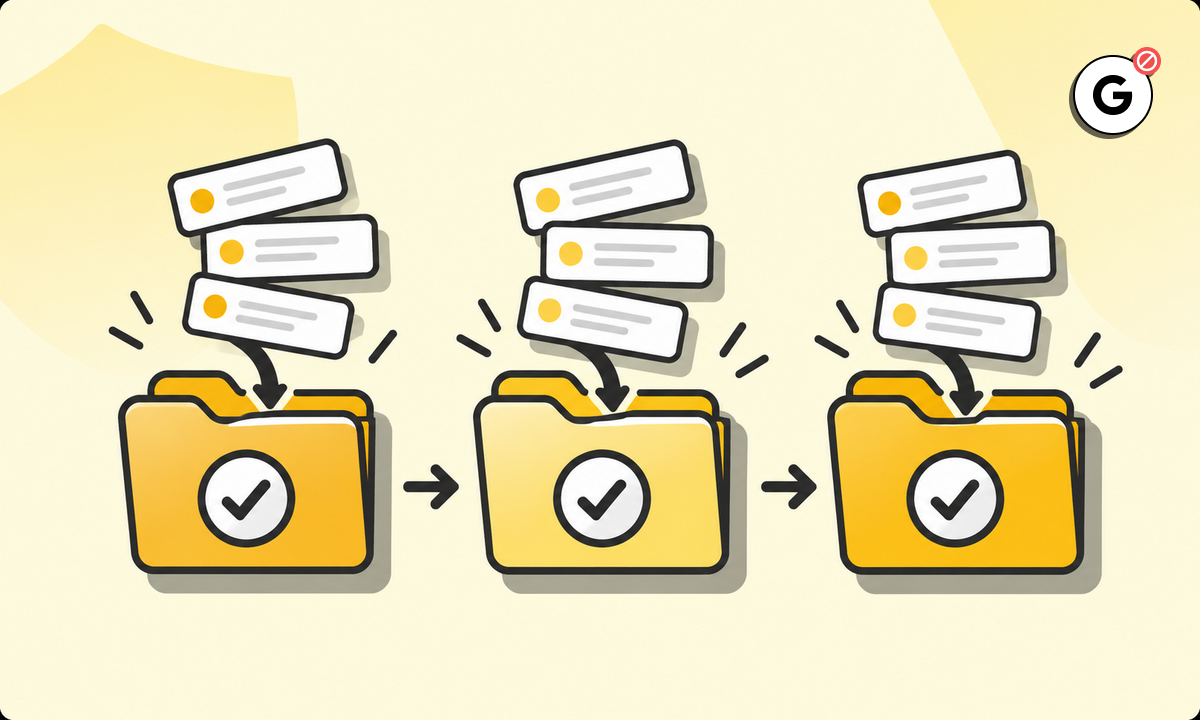
Batching your tasks means collecting similar kinds of work together in a batch, and then trying to complete all of them within a certain block of time. By doing this, you reduce the amount of time wasted switching between different types of tasks
Benefits of task batching
If you effectively batch your tasks, you will reap the benefits of batching. Now, let’s examine those benefits in more detail.
Batching vs multitasking
Multitasking often kills concentration and increases mistakes. This sense of busyness, being a multitasker, is what leads to an illusion of more productivity. But in reality, you’ve lessened your focus on one task and scattered it across a bunch of others. Batching, though, allows you to focus on similar types of tasks with no interruptions, and get into a productive rhythm, as you move from type-set to type-set, and task to task. The second advantage is that batching reduces a lot of small complicated tasks that result from frequent context-switching during the day. Do you feel as if you’re not as productive when you come to the end of a day? Multitasking can sometimes drag you down by the end of the day, feeling as if you’ve accomplished less than you should have. With batching, a clearer picture of when a group of tasks starts and ends also provides a much richer sense of progress and accomplishment.
Time blocking vs task batching
Time blocking alone is good only to a certain extent. Batching takes things further by focusing on grouping together tasks that are similar. If you allot three hours for administrative work, batch your tasks by responding to emails and organizing files while you work on that. This means you will make better use of your time slots by using a dual approach of time blocking and task batching. Most people using only time blocking tend to struggle when a certain block requires huge changes in the nature of the task they are working on. But batching within that block helps in smoothing out these transitions, which can greatly improve the overall flow of your day.
Time batching vs task batching
You can batch your time blocks using time batching, or you can batch your tasks using task batching. The ultimate productivity tool is doing both. For example, blocking off two hours for emails and follow-ups (time batching) and then deciding that whatever else happens during these two hours, you will only do these tasks (task batching). The combination of these two can help you in making better preparations. By knowing that, for instance, every Monday you have two blocks of an hour for administration, you can mentally prepare yourself for these tasks. You can then gather all the necessary resources and plow your way through every administrative task that’s been accumulating on your desk. You can do the same with every project block of your day – by having a dedicated time for each task cluster, you’ll prepare better and structure your workday in a more focused, disciplined manner.
How to batch tasks
To do batching properly, it helps to have a system that you will strictly follow. Implementing it can be a breeze when you break it down step by step. Here’s how to get started:
1. Categorize tasks
List the things you do every day or every week and put them into categories. This step will help to identify the tasks that can be done in batches, to reduce the time you spend switching between types of work. It also helps clarify what you’re doing. You can see at a glance how many different categories of tasks take up your time, which can make it easier to block out appropriate periods of time for each. Try concentrating on batching low-value tasks together in order to protect your most productive hours.
2. Prioritize batches
Decide which batch of tasks is the most urgent. What has a deadline that you need to meet soon? Which tasks might be most important to focus on today? Deciding where to start helps you get clear on where to go next. Priorities also protect your energy levels by letting you focus on your most important work when you have the most energy.
3. Allocate time blocks
Set up time blocks around each batch. For example, give yourself two hours in the morning to catch up on emails that are important, and in the afternoon for creative work. Setting up time blocks can help you stick to your schedule while completing tasks. When you have a block of time set, an intrinsic timer in your head will begin to run, which can help you complete your batch within a specific length of time. Time blocks allow you to set yourself up for a sense of urgency around a piece of work. Once you know that you have a batch that needs to be completed within a specific length of time, you are more likely to stay on task and complete your time block and batch successfully.
4. Use tools
Cutting out distractions makes it easier to concentrate on what you’re doing. Whenever you can create a distraction-free productive workspace, it is easier to focus on what you’re doing. Various tools are available that can act as your digital assistant, helping you to curate a productive environment as much as possible.
5. Review and adjust
Now and again, review your batching to check if the approach is working and make any necessary adjustments. The most important aspect of any batching system is being flexible. Review the success of your strategy once a week or once a month, and make changes when necessary. That way, you’ll be sure that your strategy is helping you to work more effectively as your workload and priorities change
Task batching examples
The application of task batching to different scenarios requires some understanding of how it works. Here are some examples:
Email management
Instead of checking email several times throughout the day, designate certain times of the day that you deal with email. If you use Gmail or something similar like Outlook, you can restrict email viewing to those times without seeing new messages while using it. You can also set up auto-responders to let people know your email times – and to manage their expectations about how you might be able to get back to them.
Content creation
Batch creative tasks, such as brainstorming, drafting and editing. By reserving the same block of time for the same tasks, you secure a creative rhythm, creating your best work. For example, set an hour-long brainstorming session to write everything that comes to mind, then a different block for drafting these ideas, and one for editing. This allows your mind to move from one phase of the creative process to another. Batching builds your creativity by providing an unencumbered sandbox in which your ideas get to grow up.
Meetings
Schedule all your meetings to take place at specific times; then the rest of the time you can work on other tasks with a clear head, without the threat of interruption. Use scheduling tools to set all meetings into a single block of time, minimizing the number of times a day you’ll get sucked into a conversation. The more you batch meetings, the more you can save contiguous chunks of your day for deep work. In addition to saving you cognitive space from interruptions and switching tasks, adding a day (or block) just for meetings can improve communication in your team. Co-workers will know when to expect you; they can arrange their schedule around the meeting, so everyone can focus at the same time.
Administrative tasks
Batch small tasks, for example filling in forms, moving invoices around or organizing files in folders. Find a way to block out an hour a day for these tasks and it will keep your workflow on a clean and organized path. When you do, you’ll be able to zip through administrative tasks without taxing your brain. That hour becomes your own personal ops room – a place where your machines can tick over without hassle. Batching administrative work improves the shape of your day, allowing more time and energy for the things only your real brain can do.
Tips for effective task batching
Task batching can be a successful strategy for work, but only if it is done effectively. Here are some pointers to help you do just that:
- Set clear priorities for your batches to focus on what matters most.
- Use productivity tools to block distractions that could take away your focus.
- Communicate your batching schedule with your team to foster collaboration.
- Review your batching strategy regularly to keep it efficient and effective.
- Take short breaks between task batches to avoid burnout and maintain focus.
- Monitor your progress by recording how much you accomplish within each batch.
- Stay consistent with your schedule to build a habit of focused work.
- Adapt as needed to balance urgent tasks that may disrupt your planned batches.
Tools for productive batching
There are several tools that you can use to improve your task batching strategy:
BlockSite
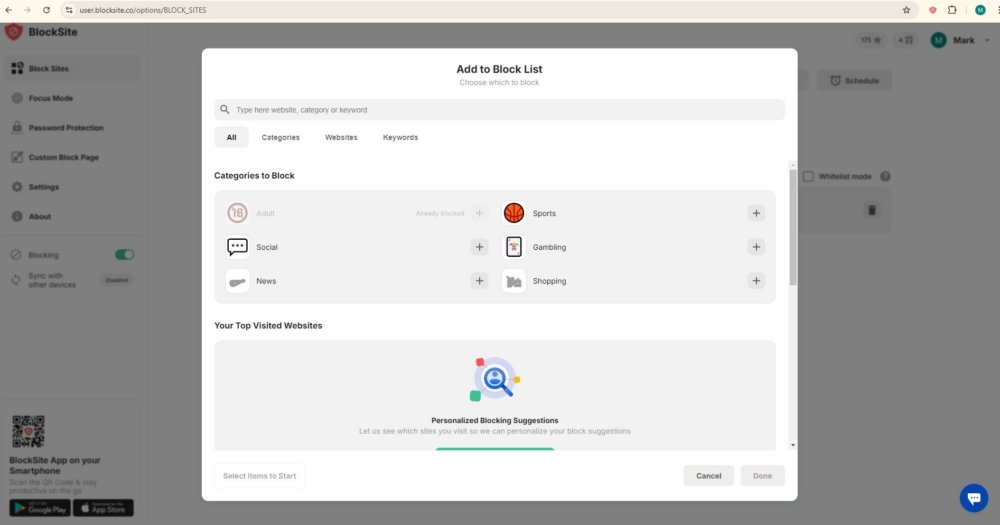
You can use it as an app or browser extension to disable distracting sites and apps so you can finish your work with fewer interruptions and remain in a focused environment.
Trello
This collaboration tool provides boards and lists that work by batching tasks and visually managing and prioritizing several tasks or projects.
Asana
This is a great task and project management software, which allows you to group similar to-dos and coordinate with other team members to organize the workflow and collaboration.
Toggl
This app tracks time that you spend on your tasks. It will automatically stop the counter if you work for a specified time block and remind you if you went over the time block. In addition, this app can generate detailed reports of your work performance to analyze your time use and manage your time more effectively.
The path to improved productivity
When you start batching your tasks, you’ll soon see how productive you can be without the constant distractions vying for your attention. Use tools such as BlockSite to stay focused and maximize your output during designated task periods. Begin task batching today and see for yourself! Prioritize, categorize, block out your schedule, and watch as your time and mental energy are rightfully reclaimed.
FAQs
How does task batching differ from time batching?
Task batching is the act of collecting all similar tasks together, while the time batching technique is the act of scheduling allotted times for the various activities. Combining the two can result in better overall productivity.
Can task batching adapt to changing workloads?
Absolutely. Iterating over and adjusting your batching strategy on an ongoing basis keeps it flexible and adaptable to changing demands and priorities.
What types of tasks benefit most from batching?
Batching works especially well for similar tasks – so just about anything that belongs in your inbox – ranging from email organization through to administrative work and content creation. Batching improves your focus because it reduces context-switching.
How can I communicate my batching schedule to my team?
Use shared tools and weekly updates to communicate your batching schedule. Sharing when you’ll be available or offline will help keep your team on track so you don’t get interrupted.
How do breaks influence task batching?
Breaks can have a greater impact on productivity if they are taken after short batches of work, rather than after long ones. That’s because the short breaks help to avoid burnout, and the frequent intervals reduce the likelihood that the breaks will lead to loss of focus.