


Workflow problems rarely come from one big failure. They come from dozens of small frictions that repeat all day. A quick “check” of a site turns into ten minutes. A notification pulls you out of a task. A file lives in the wrong place, so you search, ask around, then search again. Over time, those detours turn your normal workday into a scattered one.
That’s why productivity tools exist. They aim to remove repeated obstacles, so more time goes into the work itself and less into recovering from interruptions. The effectiveness of productivity tools in the workplace comes down to whether they reduce those detours in a measurable, repeatable way.
What productivity tools aim to improve
Productivity tools come in many forms, project trackers, calendars, chat, file search, focus apps, and browser controls. Do productivity tools improve workflow? Yes they can, but only when they target the parts of work that quietly waste time and attention. The best results usually show up when the tool matches a specific bottleneck, and when the team uses it consistently.
Workflow efficiency
Workflow efficiency is about moving work from start to finish with fewer stalls. In office work, stalls often come from switching contexts too often, or from waiting on information that should be easy to find. The American Psychological Association notes that multitasking carries “switching costs,” and those costs can consume a large share of productive time.
Tools that improve efficiency usually do one of these things:
- Reduce the number of steps for common actions (templates, automation, shortcuts)
- Reduce time spent searching (better organization, better search, clearer handoffs)
- Reduce rework (version control, clear ownership, fewer “lost” decisions)
When a tool removes even a small repeated step, the gain stacks up across a week.
Task management
Task management tools aim to answer basic questions quickly:
- What am I doing next?
- What is blocked?
- Who knows what, and by when?
When those answers are unclear, people compensate with extra meetings, extra messages, and extra tabs open “just in case.” Task management improves workflow when it makes work visible, clarifies ownership, and narrows the number of places where tasks live. That reduces mental load. It also cuts the “restart” time that shows up after context switches, since you do not have to reconstruct what you meant to do.
Even very simple habits, like turning a vague request into a defined task with a due date and a next action, can dramatically change the pace of a team.
Collaboration
Collaboration tools try to reduce delays between people. The goal is faster sharing, faster decisions, and fewer repeated questions. Better communication and collaboration through social technologies could raise the productivity of interaction workers.
But that does not mean every team chat tool creates instant results. Many teams add tools and still struggle, because the underlying issues are unclear ownership, unclear priorities, or information scattered across systems. The collaboration tool helps most when it becomes the place where decisions, context, and files are easy to retrieve later.
Time saving
Time saving is the most consistent promise behind a productivity tool. It is about getting time back from avoidable side paths, and not pushing yourself to move faster or squeeze more effort into the day. Most days do not fall apart because of one big mistake. They wear down quietly, minute by minute.
Those minutes disappear in ways that feel harmless at the time, then show up later as missed deadlines or unfinished work.
Common time drains include:
- Distraction loops: You open a site for a quick check. One click leads to another. Tabs multiply. Even if each visit is short, the pattern repeats throughout the day.
- Restart time: After your attention shifts, there is a hidden cost. You pause to remember what you were doing, where you stopped, and what comes next. That mental reset can take longer than the distraction itself.
- Decision friction: You hesitate between continuing a task and taking a short break. That small decision keeps coming back, pulling focus away from the work in front of you.
- Unplanned browsing: You search for one work-related answer, then drift into unrelated pages because nothing puts a boundary around the search.
A productivity tool turns into a time management tool when it stops the side path before it begins, shortens the reset when attention slips, and brings structure to how work blocks unfold. The payoff is a day that moves with fewer breaks in flow, fewer moments of confusion, and longer stretches where tasks move forward.
How effective are productivity tools in improving workflow?
BlockSite presents itself as the answer to everyday digital noise. It helps users block sites and cut off distracting sites and content, using tools like Focus Mode, scheduled blocking, and usage insights to make online time more intentional and easier to control.
Blocking sites by keyword or category
A major workflow problem is “near distractions,” sites that are related to work (or feel harmless) but easily pull you off track. Blocking a single URL helps, but modern browsing makes it easy to reach the same distraction in a new way.
BlockSite supports blocking by category and blocking by keyword. Keyword blocking is useful when the distraction is broader than one site, for example, blocking URLs that contain a specific word.
One way on how to increase productivity at work using this tool is to block categories during primary work hours, then allow them during breaks. That creates clear boundaries without needing constant self-control.
Redirecting blocked pages
A block can stop a distraction, but it can also create a dead end. BlockSite’s Site Redirect feature lets you choose where you go instead of landing on a blocked page. For example, if you try to open a blocked entertainment site, you can redirect to email, a project board, or a documentation page.
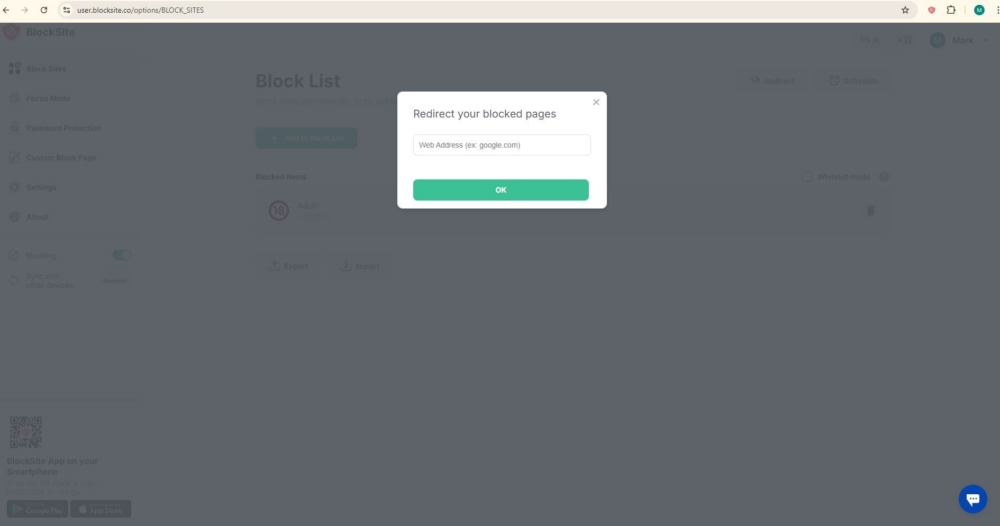
Redirect works best when the destination is an action, not another feed. A good target is a work hub: your task list, calendar, ticket queue, or a single document that tells you what to do next.
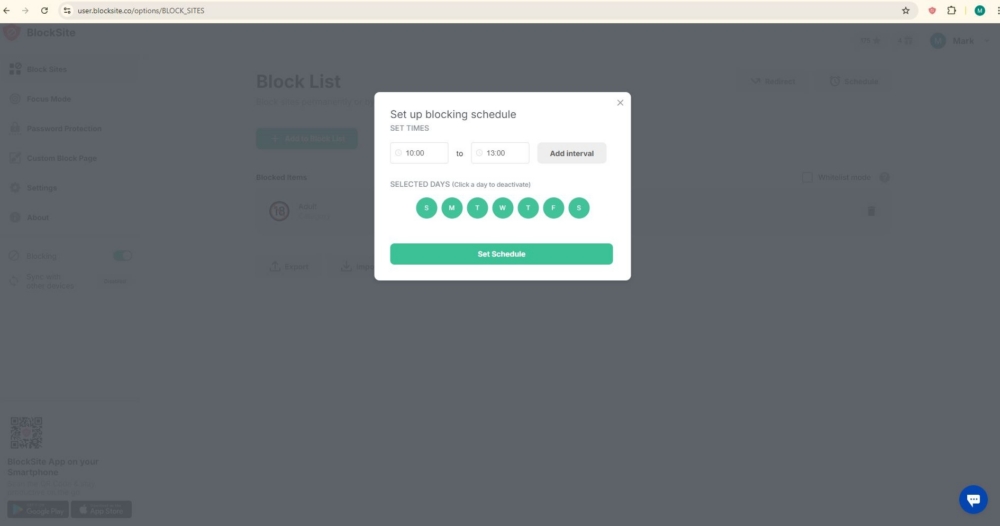
Scheduled blocking
Most people do not need strict blocking all day. They need it during predictable high-focus windows. BlockSite supports scheduled blocking. This lets you set hours when distractions are blocked, and hours when browsing is open.
Focus Mode
This feature prevents distractions within a set amount of time. You can use this in the context of timed work intervals, often associated with the Pomodoro technique.
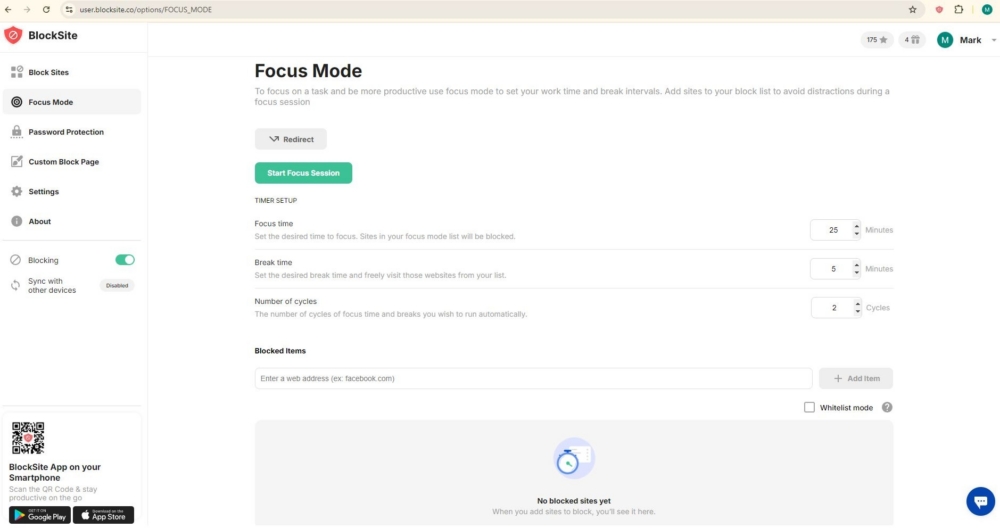
This is where distraction control connects to real output. If interruptions can take a long time to recover from, then a protected focus interval can be worth more than the minutes it lasts.
Password protection
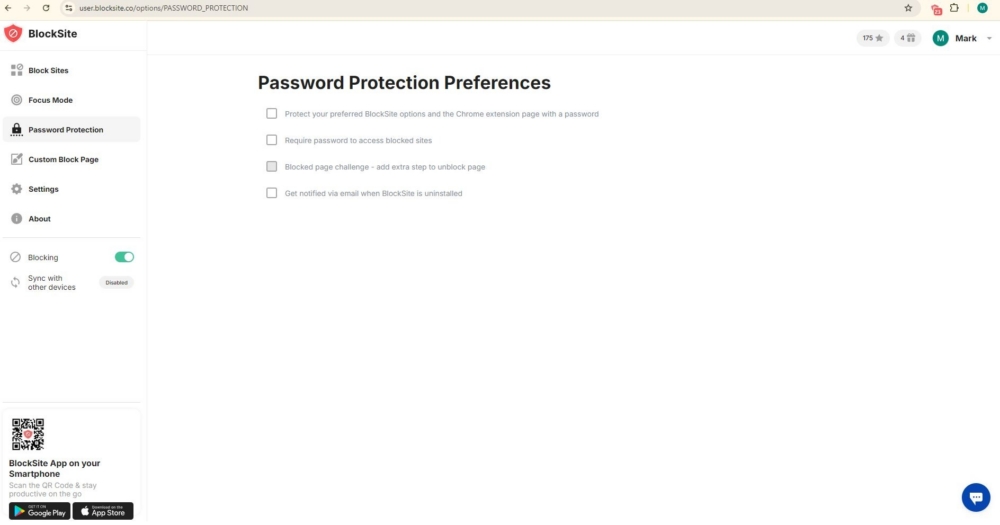
Workflows break when rules are easy to override in a moment of weakness, or when someone else can change your settings. BlockSite includes password protection in its extension feature set, and it is referenced in store listings and product descriptions.
Password protection is most useful when you treat it as a guardrail. You set it once, then you stop debating with yourself ten times a day.
Custom block page
Blocking works better when it reminds you why you set the rule. BlockSite allows a custom block page, with your own image and text, according to its help center instructions.
Simple messages work best:
- “Finish the draft, then take a break.”
- “Check this at 5:30.”
- “Open the task list.”
The block page becomes a small reset, rather than a scolding.
Insights
Many people underestimate how much time disappears online, because browsing happens in small slices. BlockSite offers an Insights feature that shows browsing trends, what sites take up most time, and time saved from blocking.
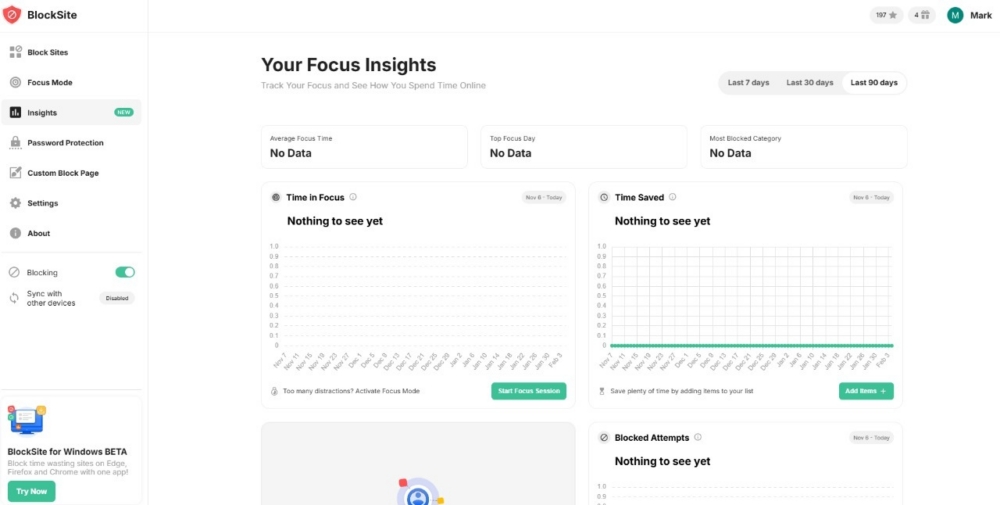
Insights turns “I think I waste time” into “I spend 45 minutes a day on X.” Once you can see the pattern, it becomes easier to choose a specific fix, like adding a keyword, adjusting a schedule, or setting Focus Mode before the usual distraction window.
A productivity toolkit that covers the full loop
Productivity tools earn their place when they remove repeat obstacles and line up with how work actually gets done. Most tools lean into planning or collaboration but with BlockSite, it goes after something narrower and often more damaging: the small, constant distractions that interrupt focus and chop work into half-finished sessions.
If your day keeps derailing halfway through a task, BlockSite offers a very direct way to regain control. Start small. Cut off a handful of obvious time sinks. Set blocks that mirror your real schedule, not an ideal one. Use Focus Mode for the work that actually matters. After a week, review Insights and fine-tune based on what the data shows, not what you hoped would happen.
FAQ
How effective are productivity apps?
They work best when they solve a specific problem you deal with every day. If you lose time to distractions, forget tasks, or keep switching between tools, a good productivity app helps by removing those slowdowns. The results are usually strongest when you keep the setup simple and use it consistently.
How do productivity tools boost efficiency?
They improve efficiency by cutting avoidable time loss. That often means fewer distractions, fewer context switches, and fewer moments where you stop to figure out what to do next. Tools also help by creating repeatable routines, like focus blocks, schedules, and clear task lists, so your day runs with less guessing.
Which strategies can be used to improve workflow?
Here are a few reliable strategies:
- Pick 1 to 3 priority tasks for the day and start with the hardest one first
- Time-block focused work and keep messages for specific windows
- Reduce alerts during focus sessions
- Keep tasks, notes, and decisions in one primary place
- Add boundaries for distracting sites so “quick checks” do not turn into long breaks
What is the best productivity tool?
It depends on what slows you down. If the biggest issue is losing time to distracting sites, BlockSite is a strong choice because it combines site and content blocking with scheduling, focus sessions, and progress tracking in one tool.
What is the best tool for workflow?
If you want a tool that protects your workflow during focus time, BlockSite fits well. It helps you stay on task by blocking distractions in the browser, setting schedules for work hours, and giving you feedback so you can adjust what you block and when.